Streamline Your 2026 with a Dynamic Daily Planner Canva Template
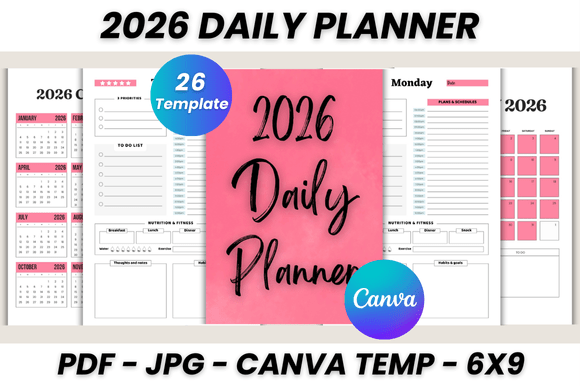
For creative professionals, entrepreneurs, and busy individuals, the start of a new year brings the familiar challenge of organizing a chaotic schedule into a manageable workflow. A standard, off-the-shelf planner often lacks the flexibility required for a dynamic lifestyle, but a digital-first solution like a 2026 Daily Planner Canva Template offers a bridge between professional organization and personal style. This specific template isn't just a collection of dates; it’s a comprehensive 26-page system designed to be the central hub for your entire year, blending aesthetic appeal with practical functionality.
More Than Just Dates: A System for Creative Control
The visual personality of this planner is built on clarity and versatility. It avoids overly ornate or distracting design elements, instead favoring a clean, modern typography foundation that ensures every entry remains legible and your priorities stand out. This design philosophy makes it an excellent foundation for brand identity work. Whether you’re a blogger mapping out an editorial calendar or a small business owner tracking client projects, the template’s structure supports a professional visual hierarchy. The layout is intuitive, allowing you to quickly scan daily tasks, weekly goals, and monthly overviews without feeling overwhelmed. It’s a practical design asset that respects your time while elevating your planning process.
Practical Applications Across Industries
Where this 2026 Daily Planner Canva Template truly excels is in its adaptability. Its utility extends far beyond personal use:
- For Marketers and Content Creators: Use the dedicated daily pages (Monday through Sunday) to schedule social media posts, plan content themes, and track campaign deadlines. The My Notes and Notes pages are perfect for brainstorming session summaries or capturing fleeting ideas.
- For Entrepreneurs and Small Business Owners: The 2026 Monthly Planner pages provide a high-level view for financial tracking, product launch timelines, and quarterly goals. The Belongs To page adds a personalized, professional touch when used for client-facing project management.
- For Designers and Creatives: Treat it as a project management tool. Log client feedback, track revision rounds, and manage freelance invoice schedules. The editable nature means you can adjust the color scheme to match each client’s project for a cohesive look.
The true power lies in its digital native format. Unlike a static PDF, this editable Canva template allows you to modify everything. You can change fonts to match your brand’s style guide, adjust colors to your preference, and even incorporate your own logo design onto the header of each page. This transforms a generic planner into a personalized brand identity tool that feels uniquely yours. The included bonus JPG files are also incredibly useful for digital planning apps or as printable inserts for those who prefer a physical copy.
Choosing and Customizing Your Planner
Evaluating if this planner fits your workflow is straightforward. If you value a balance between structured daily planning and monthly oversight, it’s a strong candidate. The inclusion of separate pages for each day of the week allows for detailed task management, while the monthly spreads help maintain big-picture perspective. When customizing, consider the following:
- Evaluate Your Brand Palette: Use Canva’s color picker to input your exact brand hex codes. Consistency in color reinforces brand recognition across all your materials.
- Test Font Pairings: While the template comes with a clean set of fonts, you can easily swap them. Consider pairing a serif font for headings with a sans serif font for body text to enhance readability and create a sophisticated look.
- Utilize the Hierarchy: The template is designed with a clear structure. Use bold text for key deadlines or priorities within your daily entries to create a visual guide for your eye when scanning the page.
This approach to planning is not just about organization; it’s about creating a consistent, professional tool that supports your goals. By investing a small amount of time in customization at the start of the year, you create a asset that will serve you reliably through every season of 2026, ensuring your personal and professional projects stay on track with clarity and style.