Design Custom Tumblers Instantly with Canva Frames
Creating professional-looking drinkware designs used to mean wrestling with complex software or spending a fortune on custom graphics. That’s changing fast, especially with tools like Canva making design accessible to everyone. If you’re looking to create eye-catching, personalized tumblers for gifts, your small business, or just for fun, the Canva Frame Drip Tumbler Template 20oz offers a surprisingly simple and powerful solution. This isn’t about downloading a static image; it’s about getting a dynamic, editable tool that puts you in the designer’s chair.
What Exactly Is This Digital Template?
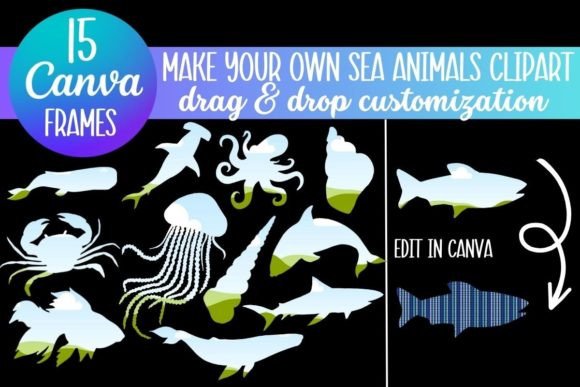
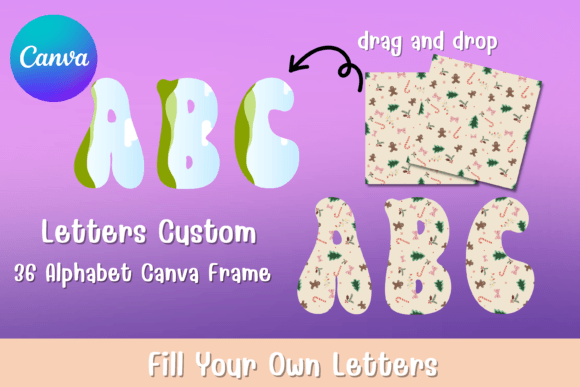
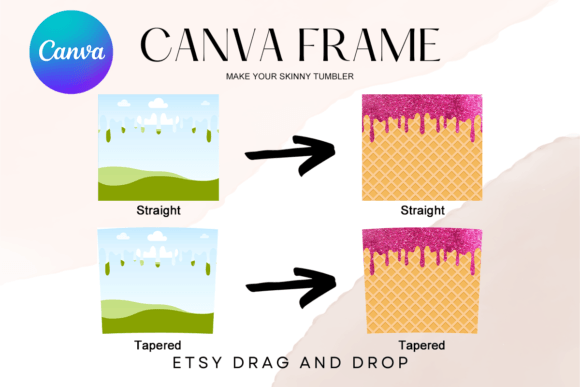
Let’s clear up the most important point first: this is a digital file, not a physical tumbler. What you receive is a PDF containing a direct link to two custom-made Canva frame templates. These frames are specifically shaped to fit a standard 20oz tapered or straight tumbler, with approximate dimensions of 9.3" x 8.2". The magic lies in their construction within Canva. Each template features a transparent layer and a dedicated "drip" design element, allowing you to easily drag and drop your own photos, patterns, or graphics into the frame. The result is a professional-looking mockup or a print-ready design file you can use for sublimation or vinyl projects.
The visual appeal of the "drip" style is modern, playful, and a little edgy. It evokes a sense of movement and customization, perfect for brands or individuals who want to stand out. Think of it as a creative design asset that does the heavy lifting of composition for you. You don’t need to be a graphic designer to achieve a polished look; the frame provides the structure, and you provide the creativity.
Practical Applications for Creators and Businesses
This Canva Frame Drip Tumbler Template 20oz shines in its versatility. For small business owners and entrepreneurs, it’s a game-changer for packaging design and promotional products. Imagine creating branded tumblers for a product launch, a corporate event, or as merchandise. You can seamlessly integrate your brand identity—your logo, colors, and patterns—into the template, ensuring consistency across all your physical marketing materials. It’s a cost-effective way to produce high-quality mockups for your website or social media, or even to generate the actual files for production.
For crafters and hobbyists, the template eliminates the technical barrier of designing from scratch. You can use it to create personalized gifts for weddings, birthdays, or holidays. Upload family photos, favorite quotes, or custom artwork to make truly unique pieces. The easy drag-and-drop functionality in Canva means you can experiment with different layouts and see instant results, which is perfect for those who love the creative process but dread complicated software.
Content creators and marketers will find immense value in using these templates for social media graphics. A beautifully designed tumbler mockup can serve as a compelling visual for an Instagram post, a Pinterest pin, or a Facebook ad. It adds a tangible, product-oriented feel to your digital marketing, helping to increase engagement and showcase your offerings in a real-world context. The transparent background of the frame makes it easy to layer over other images or solid colors for a dynamic composition.
Achieving Professional Results with Simple Tools
The influence of a good template on your final output cannot be overstated. Using a structured frame like this one directly impacts visual hierarchy and readability. The drip element naturally guides the viewer’s eye, while the main frame area keeps your central image or logo as the focal point. This built-in design principle helps your finished product look balanced and intentional, which boosts professionalism and brand perception.
When working with the template, consider these practical tips:
- Evaluate Your Project Fit: The drip style is contemporary and casual. It’s fantastic for coffee brands, lifestyle products, creative agencies, or personal projects. For a more traditional or luxury brand, you might pair it with elegant typography or use it sparingly as an accent.
- Test Your Content: Before finalizing, drag different images into the frame. High-contrast graphics or patterns with clear focal points work best, as they remain visible even with the drip overlay. Simple logos or bold text also hold up well.
- Leverage Canva’s Ecosystem: Once your design is in the frame, you can use Canva’s vast library of font pairings to add text. Combine a bold sans serif font for a headline with a clean script font for a tagline to create interest. The template itself is a creative font of sorts—a shape-based one that dictates part of your design’s personality.
- Size with Confidence: The provided dimensions are approximate. Because it’s a vector-based template in Canva, you can scale it up or down without losing quality. This is crucial if you’re adapting the design for different tumbler sizes or for other uses like sticker sheets.
Remember, this is an editable Canva frame template, not a PNG or SVG. This distinction is key. You have full control to change colors, modify the drip effect’s transparency, and layer your own elements. It’s a dynamic starting point, not a finished product. For those selling finished tumblers, always ensure you have the appropriate commercial license for any fonts or stock images you incorporate into your final design within the frame.
Ultimately, the Canva Frame Drip Tumbler Template 20oz is about empowerment. It bridges the gap between a great idea and a tangible, professional-looking result. Whether you’re building a product line, creating heartfelt gifts, or enhancing your digital content, this tool provides a straightforward path to beautiful, customized drinkware designs without the steep learning curve. It’s a practical addition to any creator’s toolkit, blending modern style with user-friendly functionality.